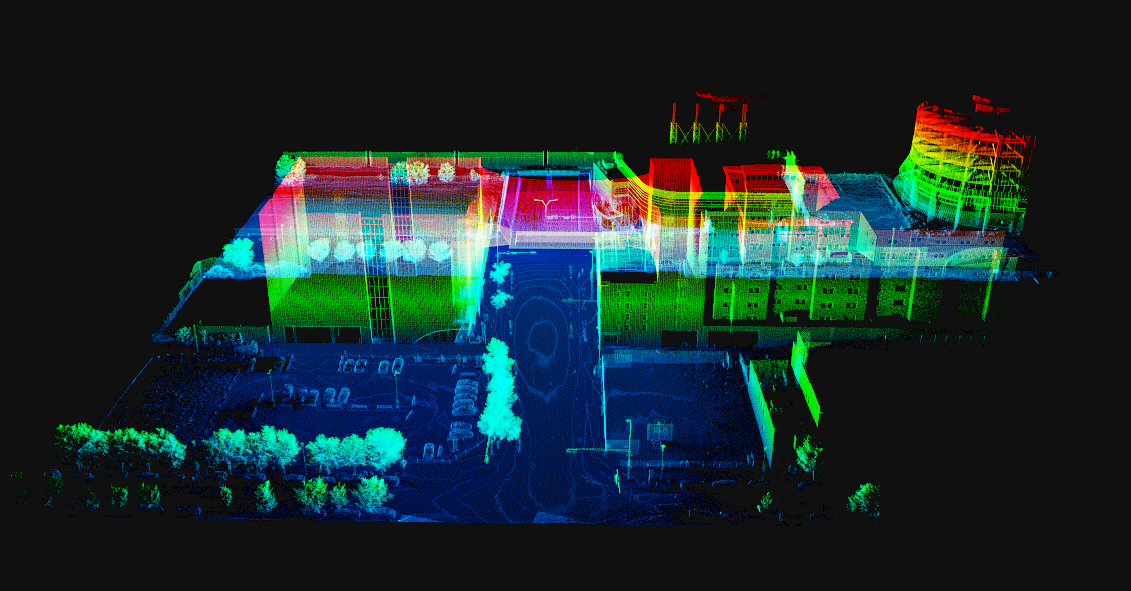
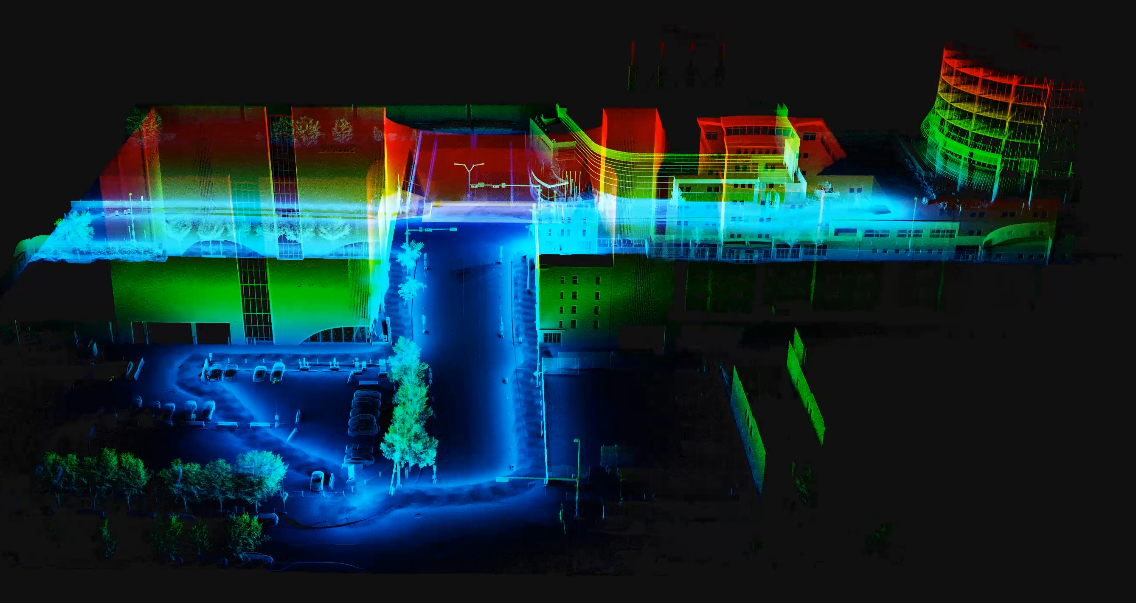
When I run through the preview of the animation with XRAY enabled - everything looks all good - but the moment I hit export - the rendering changes to show a greater intensity of there I walked with the slam
Are there setting that should be used to minimize this issue with the visualization?
0 Votes
1 Comments
M
Murat Arikanposted
3 months ago
Admin
Hi Matt,
During the real-time preview, fewer points are rendered. The video export, however, renders more points from the point cloud. As a result, areas with a higher point density, such as along the path you walked with the SLAM, appear brighter in the exported video when using the X-ray view.
Fortunately, you can reduce the brightness by increasing the White point. Please select your point cloud in the Object List, then go to Object Inspector > Material Attributes > White point.
I would suggest trying a value of 5, or even 10. Small adjustments may not produce a noticeable difference.
When I run through the preview of the animation with XRAY enabled - everything looks all good - but the moment I hit export - the rendering changes to show a greater intensity of there I walked with the slam
Are there setting that should be used to minimize this issue with the visualization?
0 Votes
1 Comments
Murat Arikan posted 3 months ago Admin
Hi Matt,
During the real-time preview, fewer points are rendered. The video export, however, renders more points from the point cloud. As a result, areas with a higher point density, such as along the path you walked with the SLAM, appear brighter in the exported video when using the X-ray view.
Fortunately, you can reduce the brightness by increasing the White point. Please select your point cloud in the Object List, then go to Object Inspector > Material Attributes > White point.
I would suggest trying a value of 5, or even 10. Small adjustments may not produce a noticeable difference.
Please let me know how it goes.
Best,
Murat
0 Votes
Login to post a comment